MILEMARK·A ROUTE, PRINTED
A run is a number. A run should be a thing you can keep.
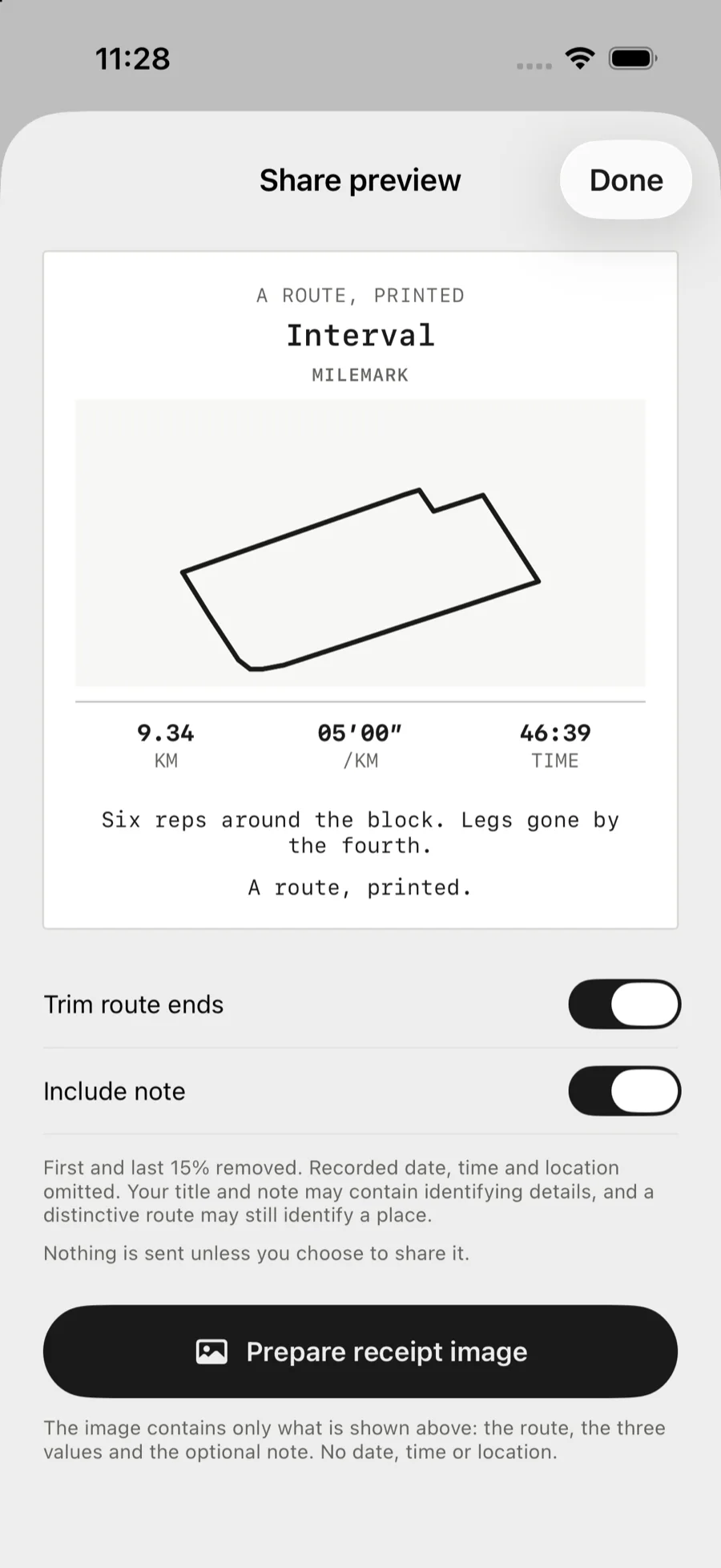
Milemark records a run on a real map and then prints it: a receipt on thermal paper with the route drawn on it, the distance, pace and time, and an optional note. Runs are kept in an archive of route silhouettes rather than a dashboard of numbers, and a receipt can be torn off by pulling the paper.
Role
Sole author
Stack
Swift · SwiftUI · MapKit
Platform
iOS 18 or later
Build
XcodeGen, CI on every push
Screens
01 / 07
Architecture
How the system fits together
Core Location fixes → strict recorder → route geometry → receipt renderer (route / ASCII / pace / photo) → paper tray → share sheet
The problem
A run becomes a row you scroll past
Most running apps turn a run into a row: distance, pace, time, a badge, a feed. The data is the right data. The problem is what it is used for. A number you can scroll past is a number you cannot keep.
There is one running app that prints a receipt for each run, and the idea is good. Milemark takes the idea — a run recorded as a physical printout — and the motion of paper feeding out of a machine. It is not a copy. The mark, the masthead, the footer, the paper edge, where the paper comes from, the picture, and the statistics are all different, and the differences are deliberate.
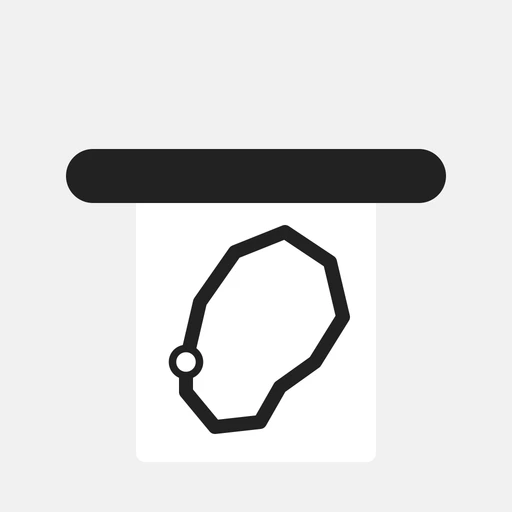
The reference is a badge and a control. Here the mark is a mile marker with a route running through it, the paper comes out of a metal tray rail instead of a black slot, the statistics sit six in a grid instead of three across, and a receipt carries a comparison with the last time you ran the same route.
Competitive gap
What running apps get wrong
Three habits run through the category, and each one costs the same thing: the run stops being an object and becomes a metric.
Milemark is deliberately small. It records a route, prints it, and keeps it. It does not have a feed, a social layer, a training plan, or an account.
The artifact
The receipt is the product
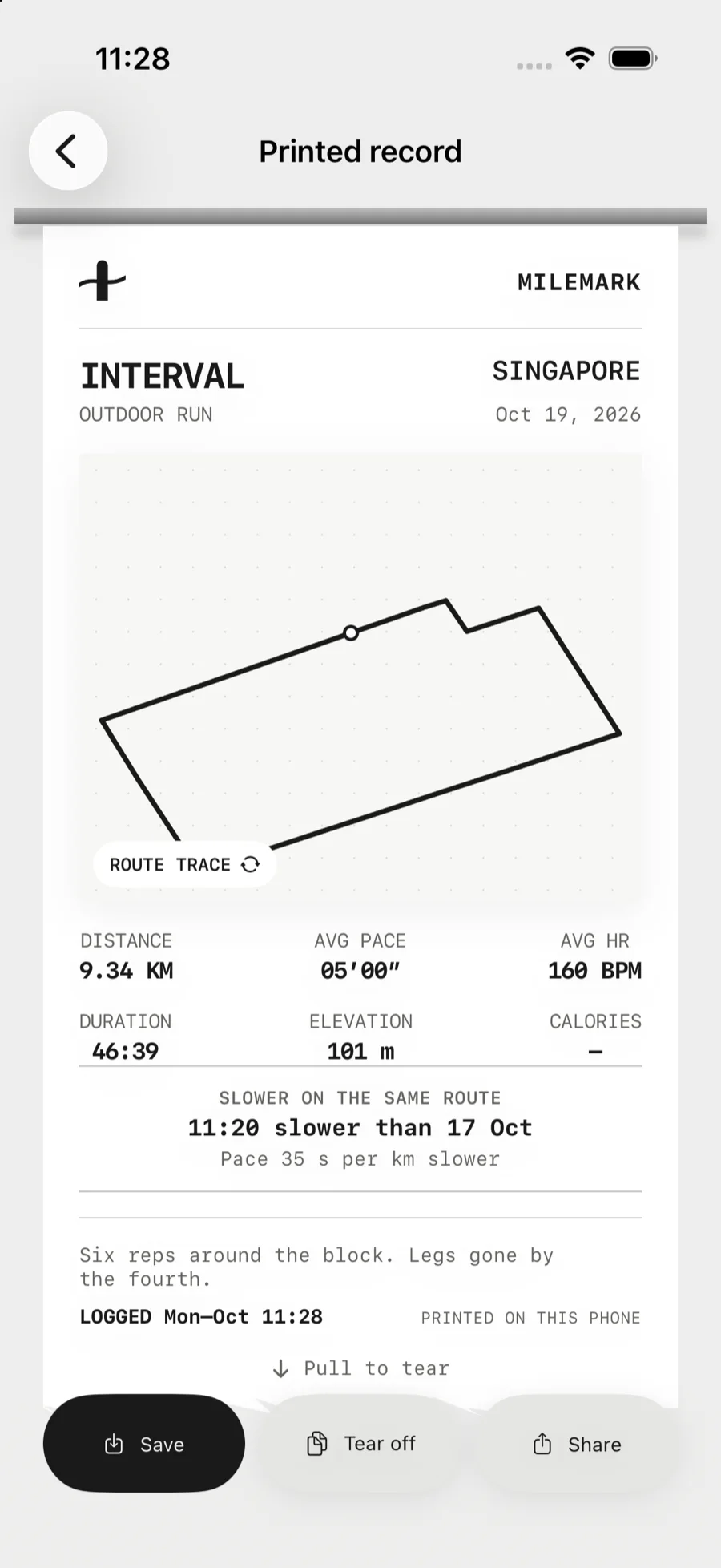
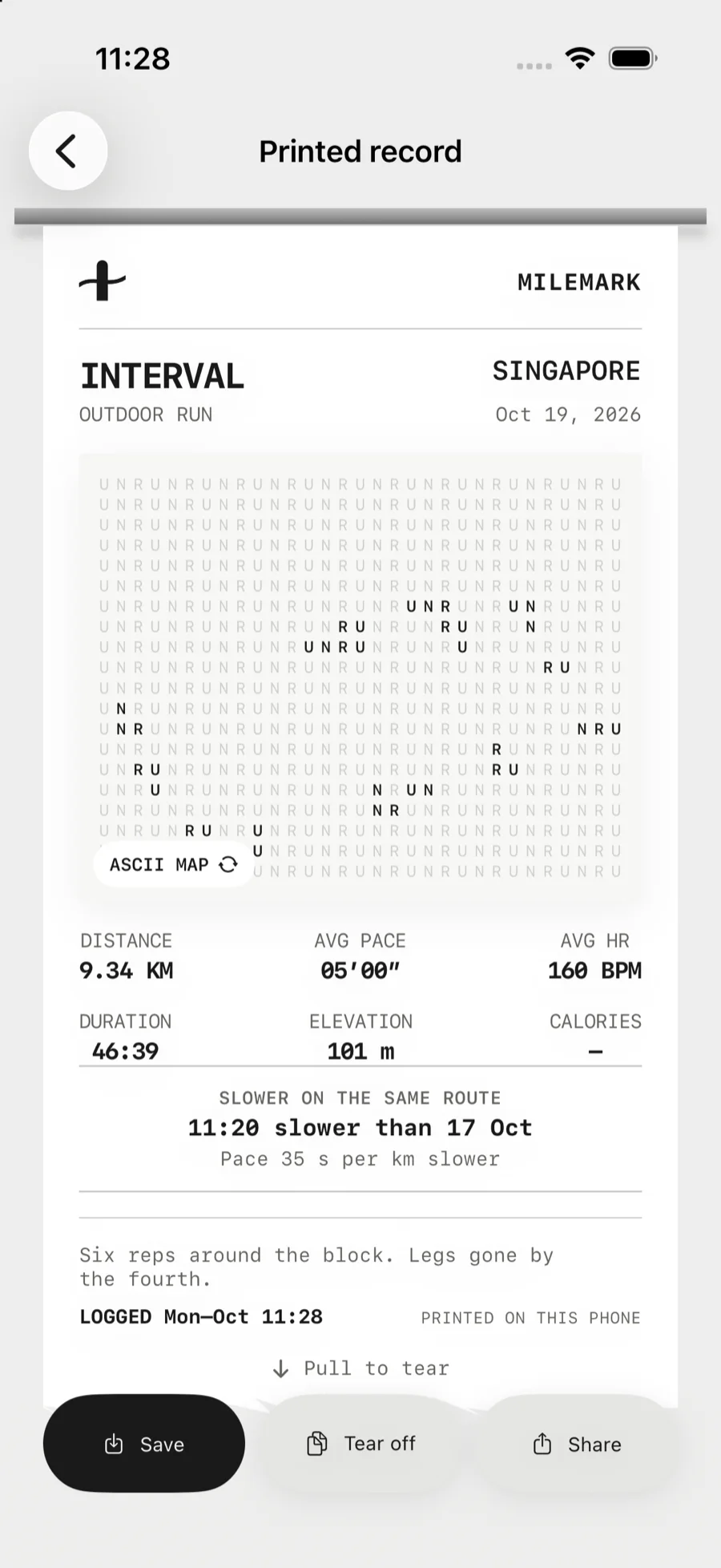
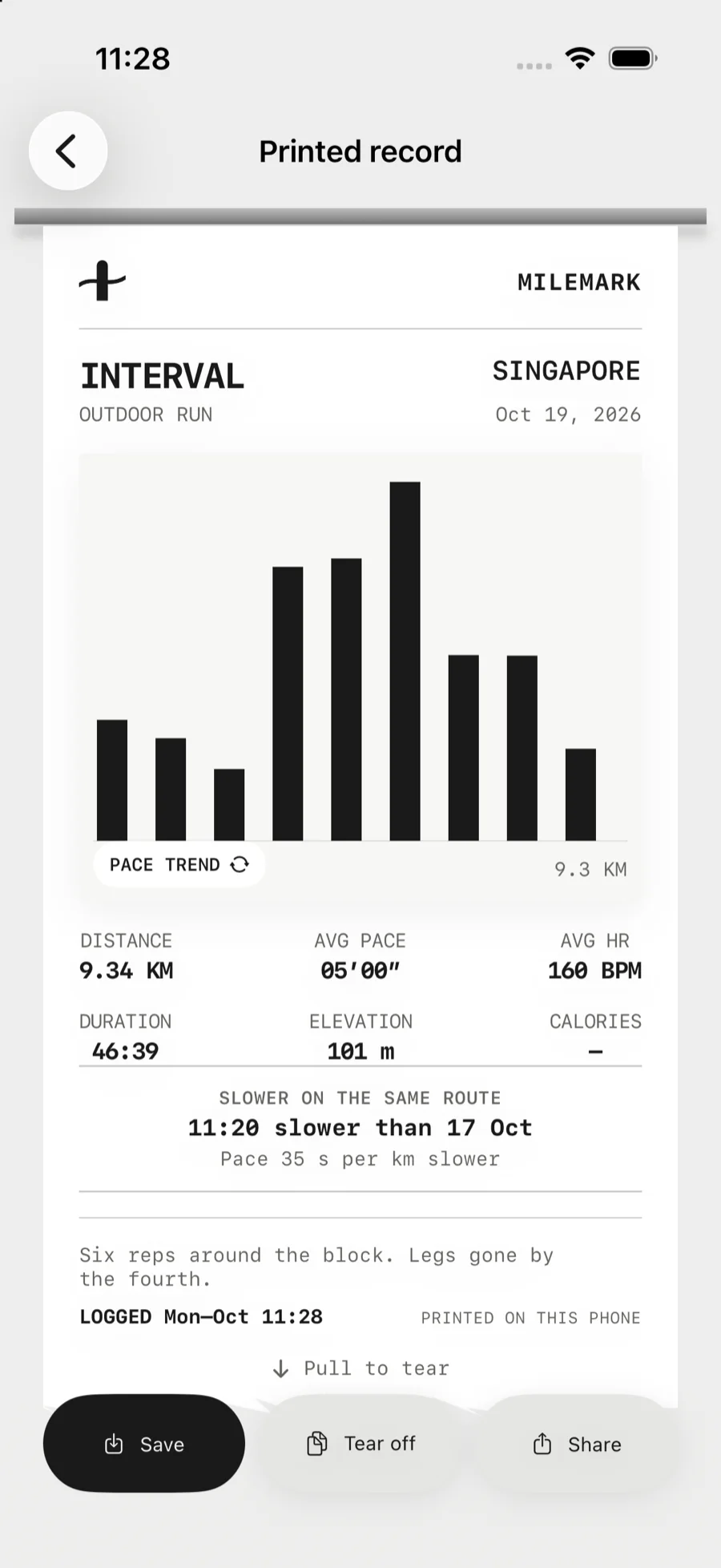
The paper comes out of a metal tray rail and stays in one place while the graphic changes inside it. Four treatments are available: the route trace, an ASCII map printed as a field of characters, a pace chart per kilometre, and a photograph treated like a halftone print. Six statistics sit in a three-by-two grid. The footer is a left-aligned `LOGGED …` with `PRINTED ON THIS PHONE` opposite it.
The tear is the interaction people describe. The grip at the end of the paper says what to do: it only offers the pull once the receipt has been scrolled to the end, because a pull in the middle of a long receipt is a scroll. The paper then follows the finger, and released short of the threshold it springs back into the slot. The **Tear off** button in the action bar does the same thing without the gesture.
A receipt also compares itself with the last time the same route was run. The comparison is made on the shape of the route rather than on its samples, so two laps of the same loop match even when one of them has a lap more.
Signal handling
The recorder is deliberately strict
A plausible-looking route that is wrong is worse than no route at all, so the recorder refuses to invent distance when the signal is poor.
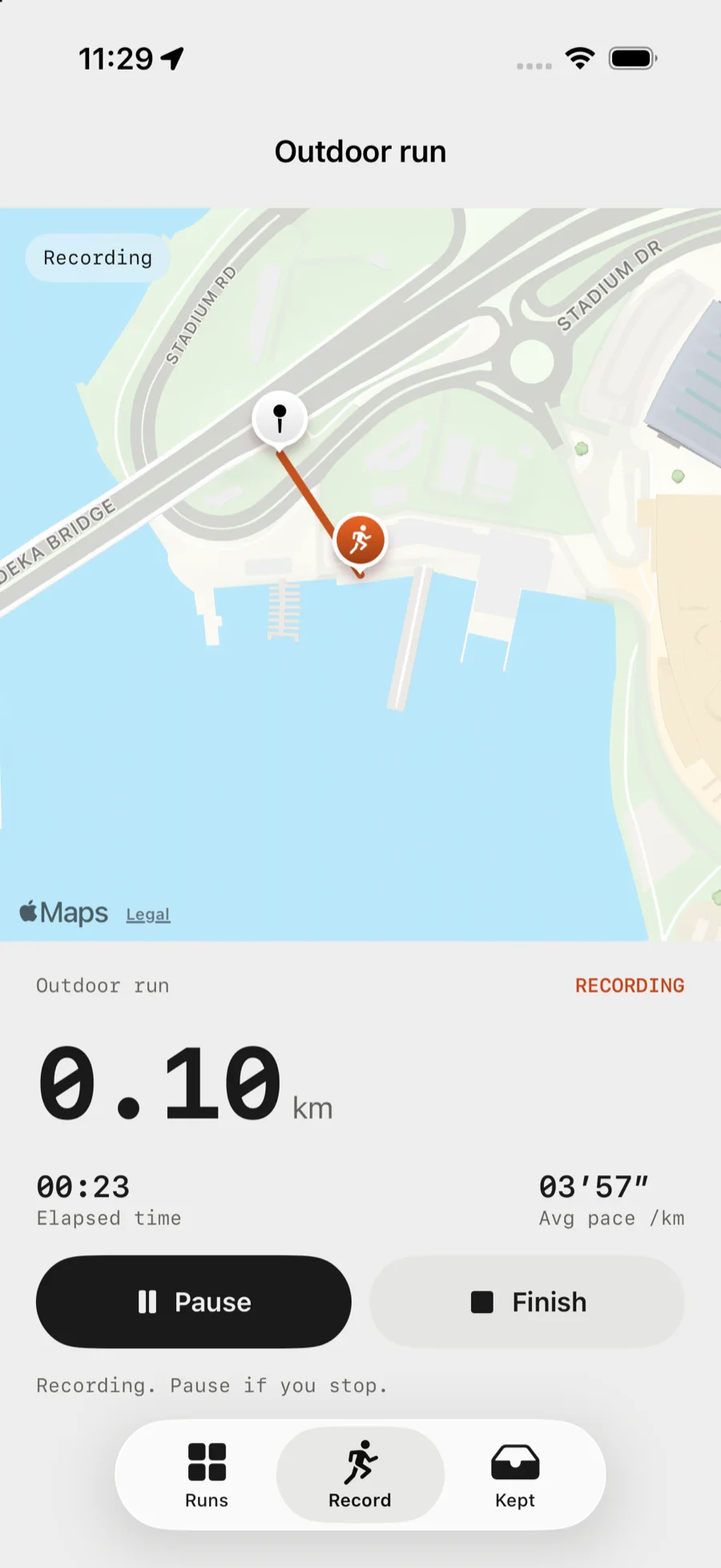
- Fixes older than ten seconds, or with an accuracy worse than 40 m, are discarded. - A jump that would imply running faster than 12 m/s is discarded. - Movement smaller than 40 cm between samples is treated as noise, so standing still does not add distance. - Pausing stops the clock and the distance. Resuming starts a new segment, so the route never draws a false straight line across the gap, and the distance covered during the pause is never counted. - If the runner stops for more than twelve seconds, the run pauses itself. The test is deliberately slow, so a pause at traffic lights is not mistaken for the end of the run.
None of this makes a route guaranteed accurate. It makes the app refuse to invent distance when the signal is poor.
The map is drawn with MapKit using a muted standard style — no points of interest, no traffic, no rotation — so the recorded track and the runner are the only saturated things on screen. The route is drawn by MapKit itself; a SwiftUI filter applied to the map breaks its metal-rendered tiles.
Keeping runs
The archive is shapes, not numbers
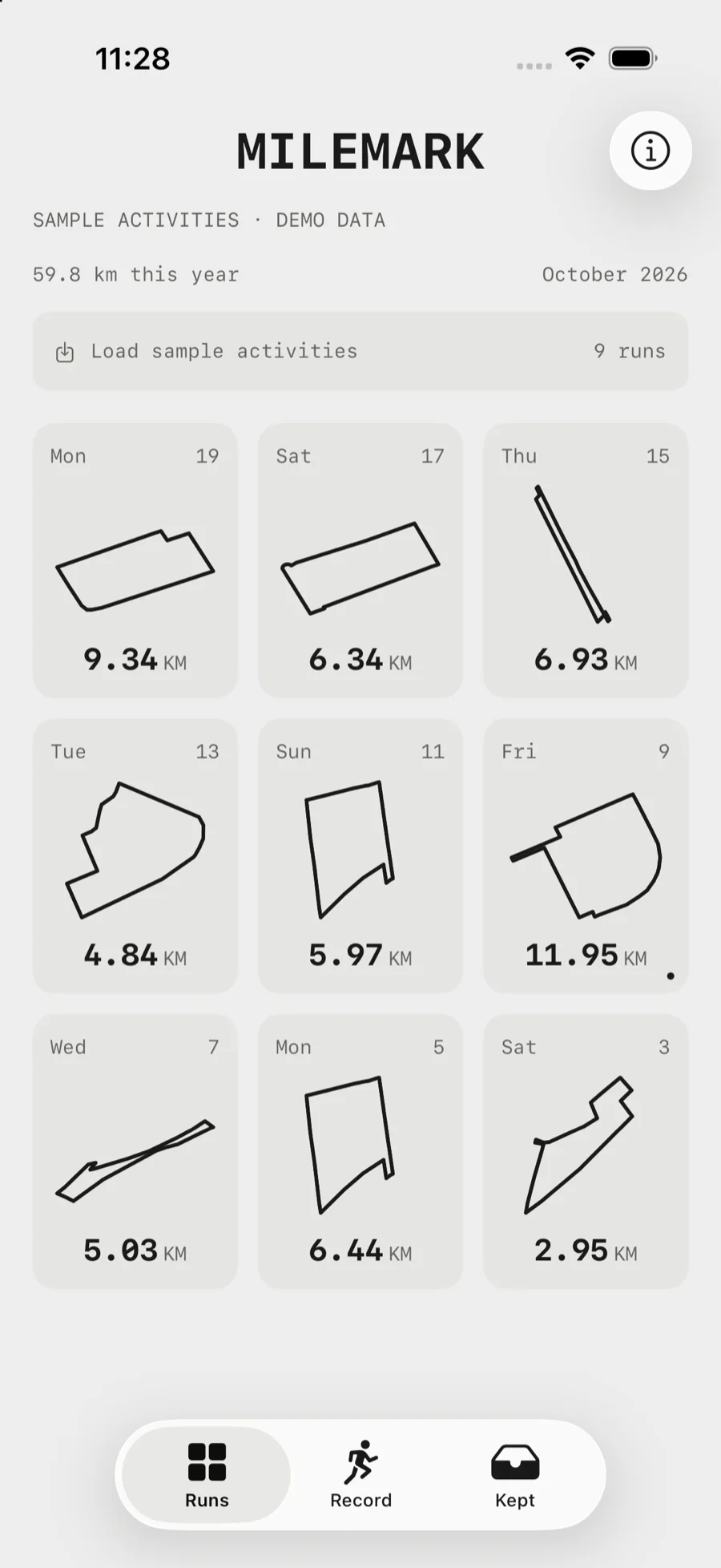
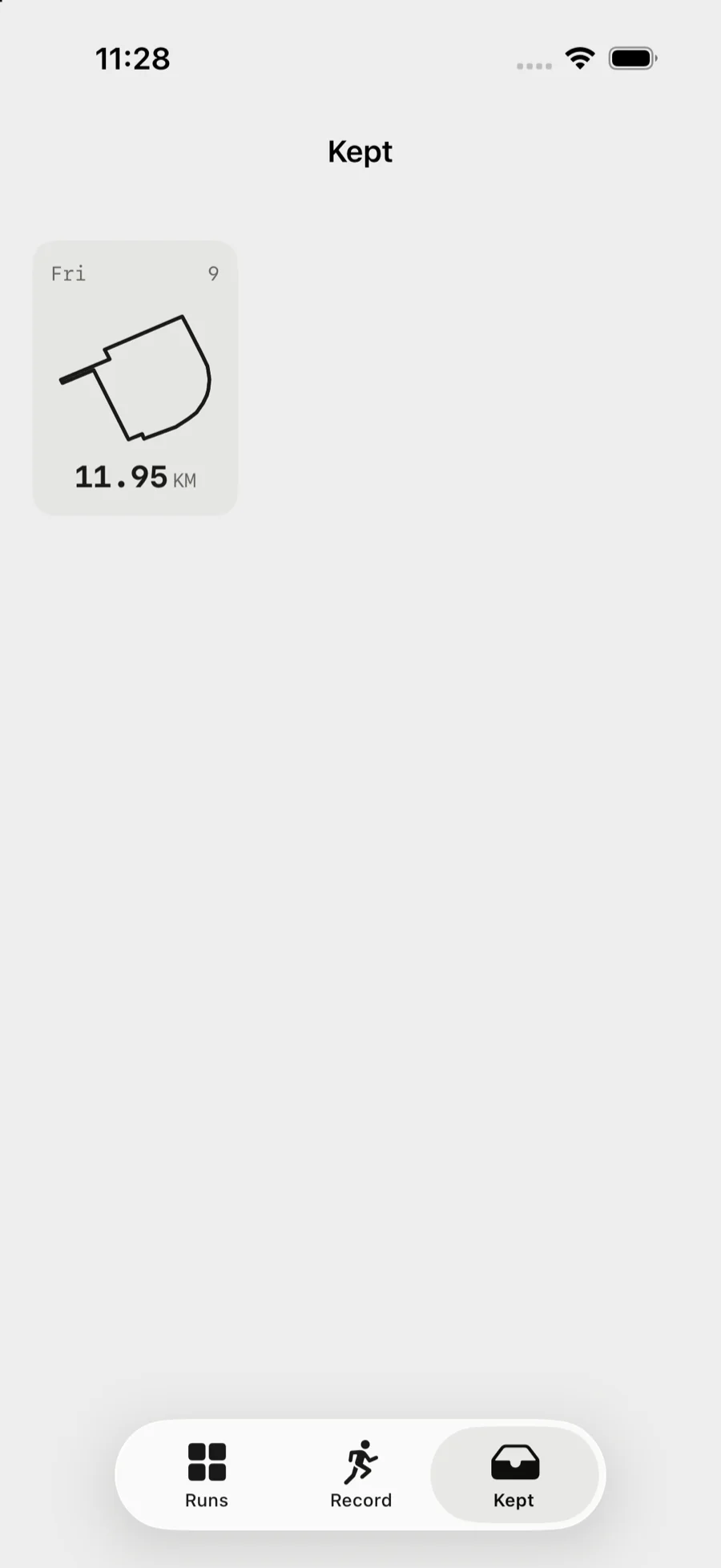
Runs are stored as route silhouettes rather than rows of statistics. Every run in the archive is its own shape, with its date and distance, and the collection at the end holds the receipts worth keeping.
The sample activities in the screenshots are nine genuine closed loops found in real OpenStreetMap street data — the streets a runner would actually take around a block or a park, not invented ones. The archive labels them as demo data, because they are. The route geometry shown is derived from © OpenStreetMap contributors, licensed under the ODbL; the app draws its basemap with MapKit at runtime.
Privacy
Nothing leaves the phone
Runs are stored locally on the device. There is no account and no server.
The share preview leaves out the recorded date, time and location, and can trim the first and last 15% of the route. That is not anonymity: a distinctive route, a run title or a personal note can still identify a place or a person. The app says so on the share screen rather than implying a guarantee it cannot make.
Results
What is verified
The core loop — record a run, review it, print the receipt, keep it, share it — is implemented and runs on a simulator. GitHub Actions builds the app and runs the tests on every push and pull request.
`RouteGeometryTests` covers the parts where a bug would quietly produce a wrong number rather than a crash: distance accumulation, sample rejection, splits, pace formatting, route normalisation and endpoint trimming. `RunRecorderTests` covers the recorder’s decisions: distance accumulation, standing still, implausible jumps, pausing and the auto-pause threshold. `MilemarkUITests` drives the app end to end — opening a receipt, changing the graphic, pulling the paper short of the tear and past it, tearing off, and opening the share preview. A screenshot cannot show whether a gesture behaves.
3
Test suites
GEOMETRY · RECORDER · UI
0
Accounts required
LOCAL ONLY
4
Receipt treatments
ROUTE · ASCII · PACE · PHOTO
Source · iOS Simulator, with GitHub Actions on every push; route geometry derived from © OpenStreetMap contributors (ODbL)
Lessons
What building it taught me
The first version drew the route on a canvas and called it a receipt. It was a receipt-shaped rectangle with a picture of a run in it. What made it a receipt was the paper: the torn edge with shallow fibres, the way it comes out of a tray, the fact that it can be torn off and held.
The second lesson was that a gesture needs an invitation. A pull in the middle of a scrollable view is a scroll, and the app will not ask you to do something that reads as a mistake. The tear only unlocks once the receipt has been scrolled to the end, because until then the paper is not ready to come off.
The third was about refusal. The strict recorder was not planned as a feature; it fell out of the tests. Every rule in it is a bug that could have shipped as a plausible-looking number.
A route that looks right but is wrong is worse than no route at all.
Still open
What is not built yet
Strava import
Not implemented. The archive header is demo data, and the app says so rather than pretending otherwise.
Heart rate
Not implemented. The receipt shows — for average and maximum heart rate, and the statistics grid still reserves the space for it.
Physical devices are unverified
A real run needs a physical device, because the simulator has no location feed. Verification so far is the simulator plus unit and UI tests.
MILEMARK is a working title
It is not a settled brand and it is not trademark-checked. The wordmark and the mark are original work, and no artwork or copy is taken from the reference app.
In short
What Milemark came down to
01
The artifact is the point
A run you can print and hold is different from a run you can scroll past. The screen is the printer.
02
Refuse to invent
A strict recorder is what makes a number trustworthy. Discarding a bad fix beats averaging it into a plausible route.
03
Privacy, honestly stated
Local storage and no account are easy. Saying out loud that trimming the route ends is not anonymity is the part that matters.