LOCALCANVAS·OFFLINE WHITEBOARD
Every drawing is a file. Every file is yours.
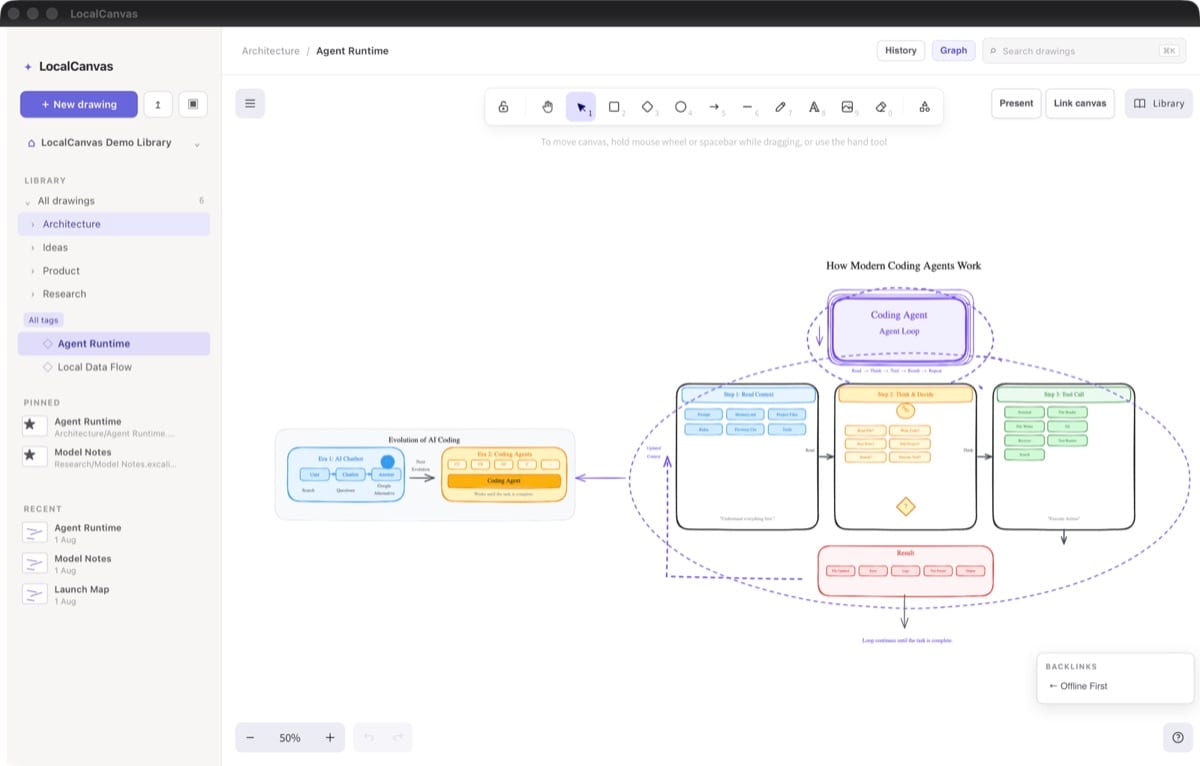
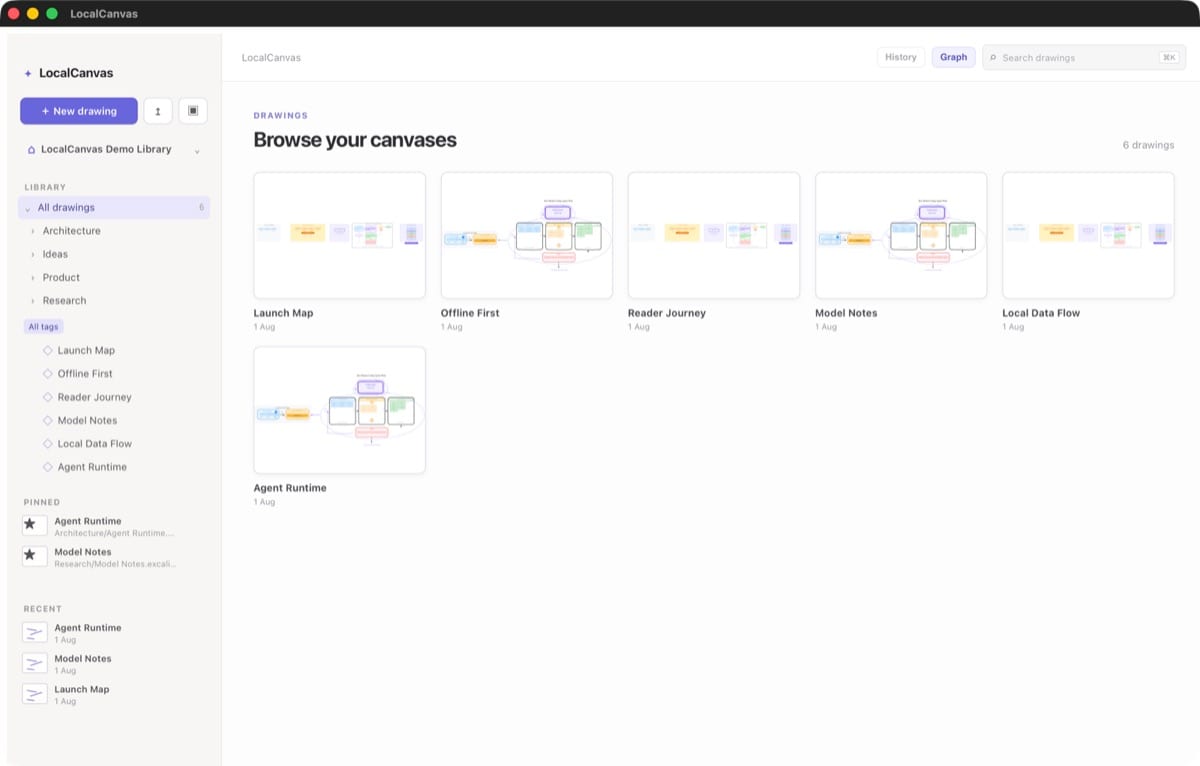
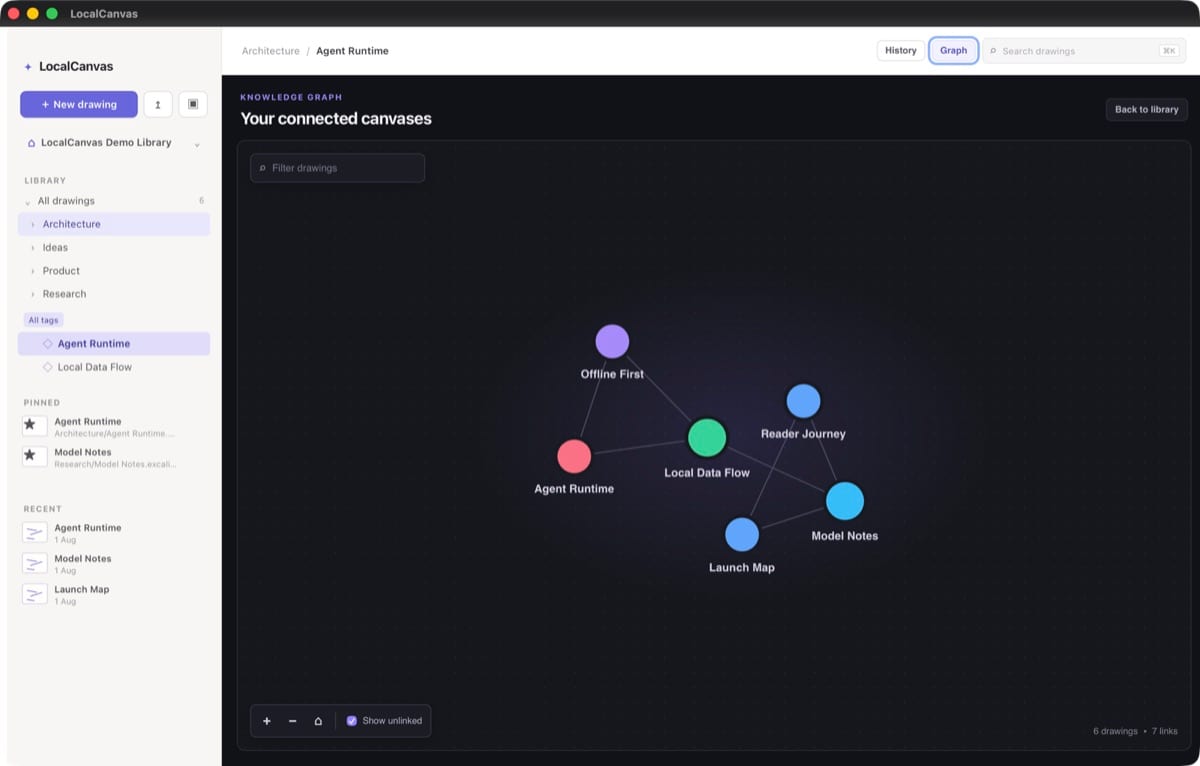
LocalCanvas is a local-first, offline Excalidraw whiteboard for macOS. Each drawing stays a portable .excalidraw file on disk, and the Rust backend writes autosaves atomically so a crash never corrupts your work.
Role
Sole author
Language
TypeScript, Rust
Framework
Tauri 2 + React
Storage
Atomic .excalidraw files
Architecture
How the system fits together
React + Excalidraw canvas → Tauri IPC → Rust atomic file writer
The problem
Online whiteboards lose your drawings by design
The best whiteboard tools want your diagrams in their cloud. That is fine for collaboration, but it means your single-player sketches are locked behind a login, an export button, and a prayer that the company survives.
I wanted the Excalidraw experience with no account and no cloud.
Competitive gap
What existing whiteboards get wrong
Excalidraw itself is open and portable, but using it in a browser still leaves sketches in localStorage or a cloud room. Dedicated whiteboard apps make export a second-class feature.
LocalCanvas makes the file the app state from the start. Every drawing is already a .excalidraw file on disk.
Data model
Use the file system as the database
LocalCanvas stores every drawing as a plain .excalidraw file in a folder the user picks. The app reads the directory, renders thumbnails, and opens files on demand. Because the format is Excalidraw’s own, any drawing can be opened in the browser tool later.
No import, no export, no lock-in. The file is the app state.
Durability
Atomic saves are the whole product
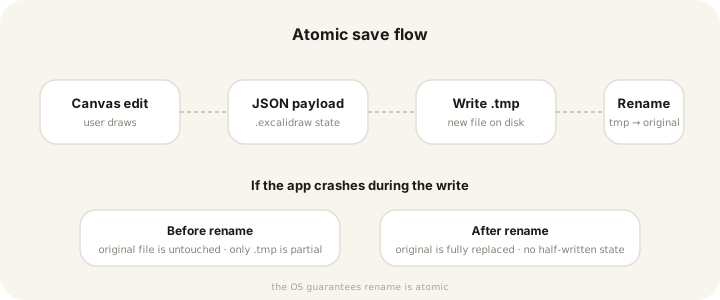
Whiteboards autosave frequently. If a save is interrupted — battery dies, app crashes, OS kills the process — you can end up with a half-written JSON file that is impossible to recover.
The Rust backend writes to a temporary file, flushes it, and renames it over the original. The OS guarantees the rename is atomic, so the original file is either fully replaced or untouched.
pub fn atomic_write(path: &Path, data: &str) -> Result<()> {
    let tmp = path.with_extension("tmp");
    fs::write(&tmp, data)?;
    fs::rename(&tmp, path)?;
    Ok(())
}
Results
What local storage costs
The only infrastructure is the user’s disk. There is no backend to maintain, no account to lose, and no export step because the files are already in the open format.
0
Cloud accounts
BY DESIGN
~120KB
Average file size
TYPICAL DIAGRAM
1
Atomic write path
TEMP → RENAME
Source · local tests with 50 sample diagrams
Lessons
What building it taught me
The most underrated feature of local-first software is not privacy — it is permanence. A .excalidraw file from 2029 will still open somewhere. A proprietary whiteboard’s “export” button might not exist by then.
Tauri 2 makes the React/Rust boundary almost boring, which is exactly what you want when your job is to keep files safe.
If a crash can corrupt a user’s file, the autosave is worse than no autosave.
Still open
Where it is still rough
No real-time collaboration
Two people cannot edit the same file at the same time. File-system conflict resolution is hard, so it is left out for now.
No cloud backup
If the user does not back up the folder, drawings are lost with the disk. The app does not remind them.
macOS only
Tauri is cross-platform, but the file picker, sandbox, and menu conventions need per-OS tuning that has not been done.
In short
What LocalCanvas came down to
01
The file is the database
No import, no export. The drawing is already in the open format.
02
Atomic writes matter
A half-saved file is corruption. Atomic rename prevents it.
03
Offline is a feature
No account means no lock-in and no dependency on a service.