VARQ·NATIVE MACOS E-READER
A reading app should not phone home to remember your page.
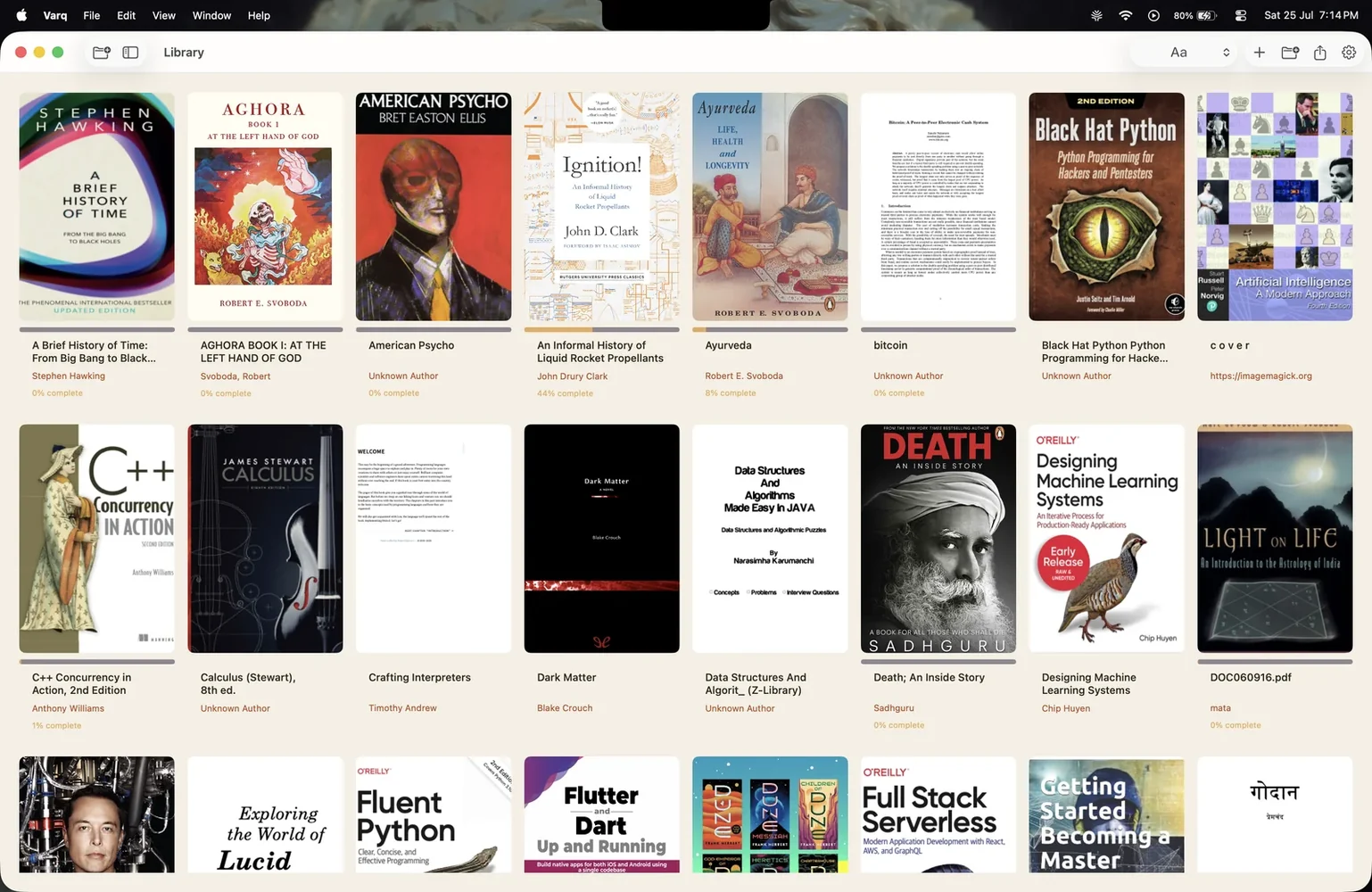
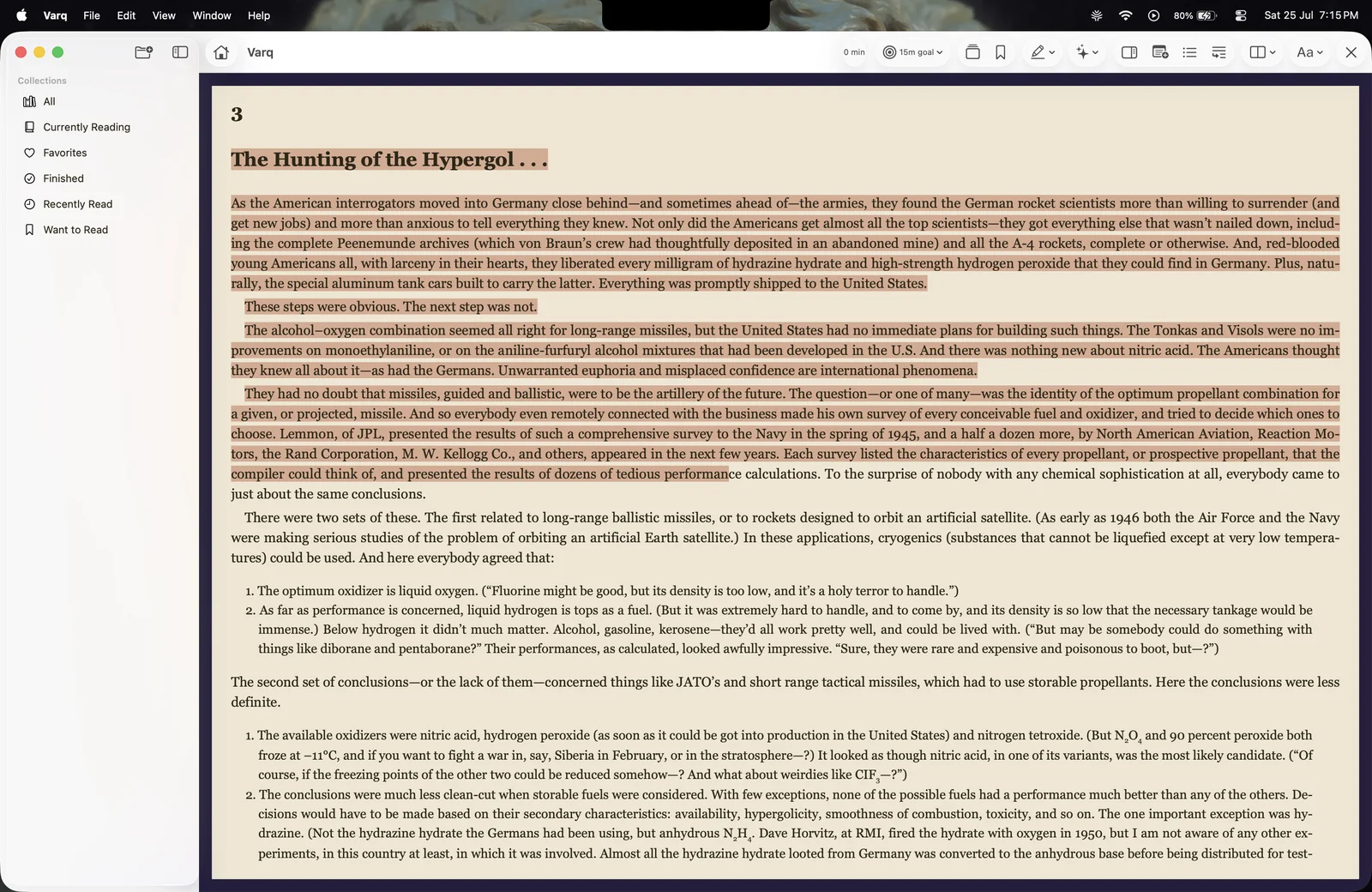
Varq is a native macOS e-reader for EPUB, PDF, and CBZ. Your library, progress, highlights, and notes stay on the machine by default. If you want sync, you bring your own mechanism.
Role
Sole author
Language
Swift
Storage
SwiftData + local files
Formats
EPUB, PDF, CBZ
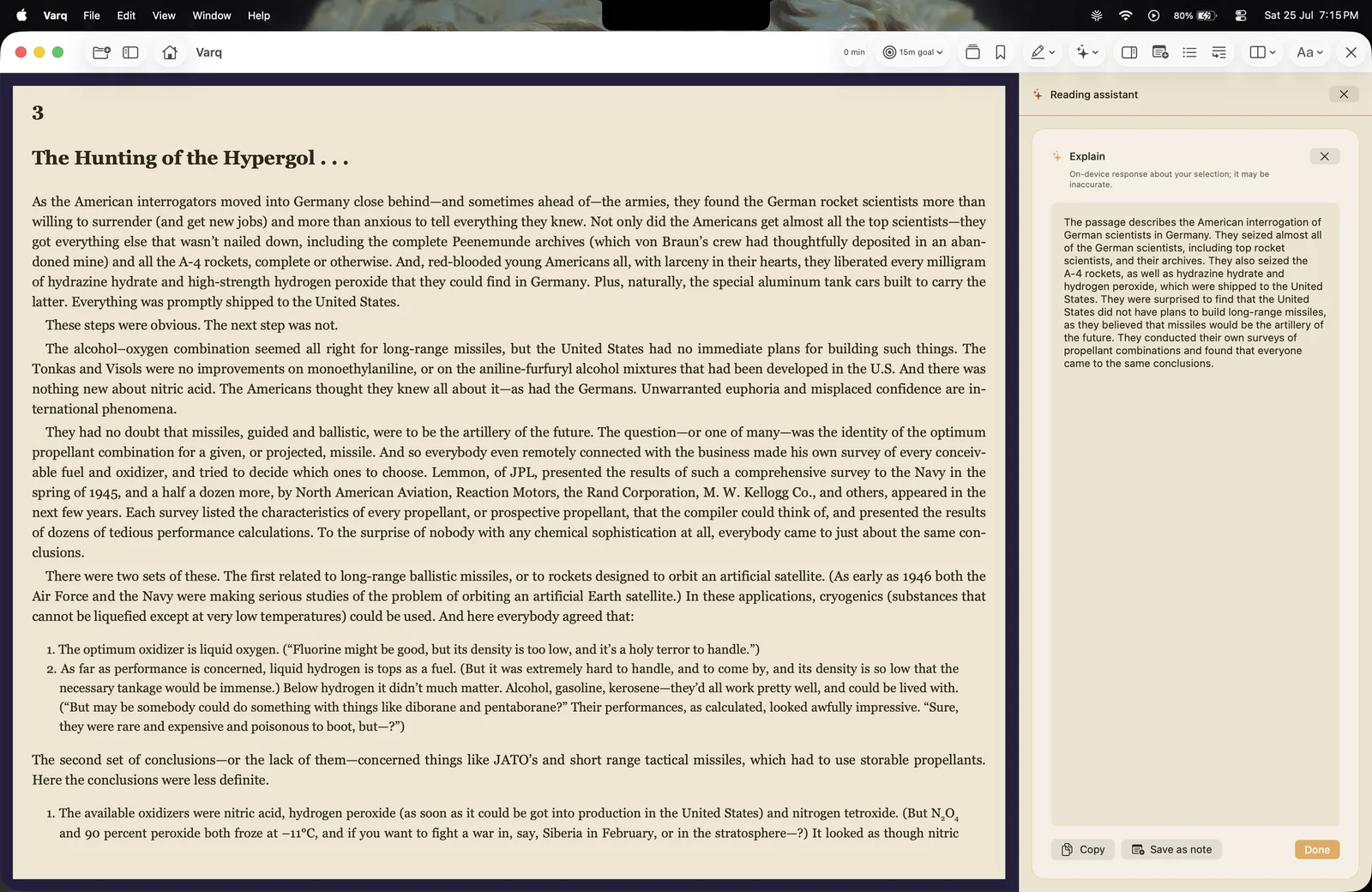
Architecture
How the system fits together
SwiftUI views → SwiftData store → local file parsers (EPUB / PDF / CBZ)
The problem
E-readers want your books
Most e-reading ecosystems treat your library as a hostage. Upload to the cloud, accept the terms, hope the service does not change. The app is nice until it is not.
I wanted an e-reader that treated a book like a file and my reading history like local data.
Competitive gap
What existing e-readers get wrong
Kindle and Apple Books are convenient until you want to leave. Your annotations are locked inside their sync service, and their apps do not treat the book file as something you own.
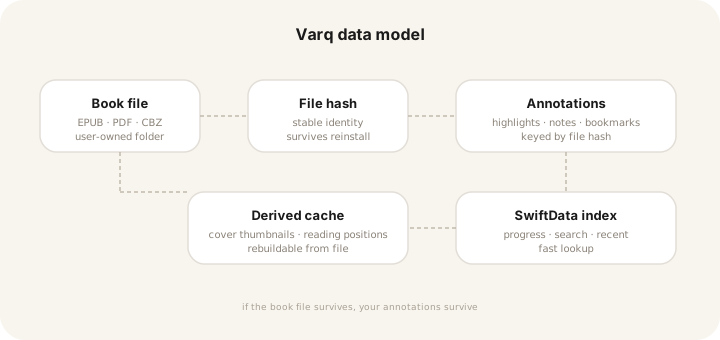
Varq is the opposite: the file stays in a folder you control, and the annotations are keyed to that file. You can switch apps without losing your reading history.
Data model
The book is a file. The app is a viewer.
Varq reads from a folder you pick. When you import a book, the app copies it into a directory you control and builds a SwiftData index for search, progress, and recent items. Highlights and notes are stored as annotations tied to the file hash, so they survive app reinstalls as long as the book file survives.
Privacy
Parsing without leaking data
EPUB and CBZ parsing happens locally. There is no cloud conversion, no analytics ping, and no “enhanced reading experience” that phones home. The PDF renderer uses Apple’s native PDFKit for performance and to avoid shipping a third-party binary that could exfiltrate pages.
SwiftData handles the metadata layer. I versioned the schema from the start because Core Data migrations taught me that schema drift is painful.
Results
What native buys
Varq is not faster at rendering a page than a web wrapper, but it is faster at everything around reading: opening the library, resuming the last position, searching highlights, and switching books.
< 200ms
Library open
200+ BOOKS
0
Cloud accounts required
BY DESIGN
3
Formats
EPUB · PDF · CBZ
Source · local tests on macOS 14, MacBook Air M2
Lessons
What building it taught me
Local-first apps force you to design for durability from day one. If a user loses their data because they deleted the app, that is your fault, not Apple’s.
Native UI matters for reading. A web wrapper can display text, but page-turn physics, selection handles, and annotation margins are the reasons people stay.
The most underrated feature of local-first software is permanence.
Still open
Where it is still rough
iCloud sync is manual
There is no built-in sync. If you put the library folder in iCloud Drive it mostly works, but conflict resolution is left to the user.
Complex PDFs
PDFKit handles standard documents well. Heavy academic PDFs with custom fonts and layouts can render incorrectly.
No iOS version yet
SwiftData and the file model would translate, but the reading UI would need a full redesign for smaller screens.
In short
What Varq came down to
01
The file is the source of truth
Annotations live or die with the book file, not with the app.
02
No cloud by default
Sync should be opt-in and owned by the user, not a service.
03
Native UI is not optional
Reading is tactile. A web view misses the details that make it pleasant.